[SF] Installation
Last updated at 2:14 am UTC on 27 July 2009
Requirements
Currently SmallFaces runs under Seaside 2.8, Squeak or Pharo.
Squeak
- The official Squeak distribution is not web aware, so you will have to install Seaside, Scriptaculous and SeasideAsync first (see Seaside or http://www.seaside.st/ for details).
Pharo
- Download a Pharo image from: http://pharo-project.org/home
- Currently Pharo comes in two distributions, the "dev" image (focused on a general usage) probably contains Seaside installed, so you should continue with the Installation step below. The "core" image (focused for Pharo developers or "clean" distribution) surely will not contain Seaside and you should perform a Seaside installation first.
Installation
Method 1 (using Installer)
Method 2 (using Monticello 1.5)
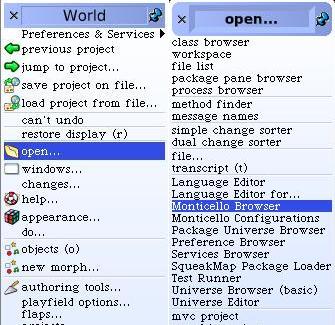
- Open the World Menu and the Monticello Browser:
- Open the Phantasia repository and load "CSS".
- Open the SmallFaces repository and load SmallFaces and SmallFacesExamples.
Support
SmallFaces was tested and it worked fine in the following images:
- Official Squeak 3.9 (7067)
- Official Squeak 3.10.2
- Pharo pre 1.0 images.
- sq3.10.2-7179dev08.09.1
- sq3.10.2-7179web08.10.1
How to start
- First step is to observe the examples to get a feeling of how the code looks like. If you already know the SASE (Self Addressed Stamped Envelope) protocol it will make your life much easier. If you don't, you can read how SASE works
- To see the examples, start the web server and point your browser to: http://localhost:9090/seaside/config
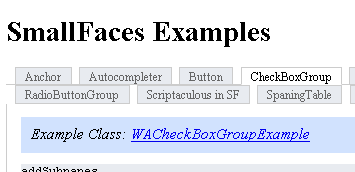
- Click the smallfaces entry point and the examples link. Clicking the "Example Class" link :

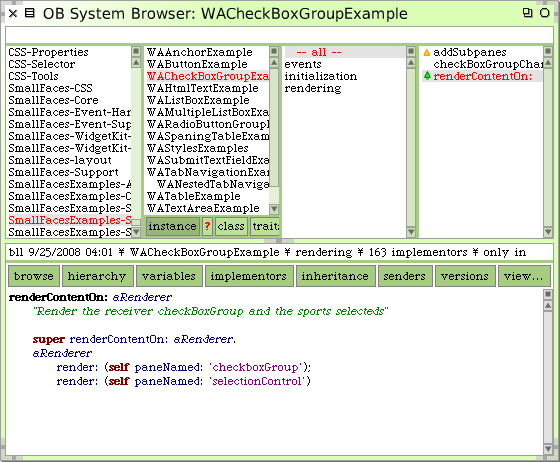
will open a Browser in the example class inside the Squeak environment
.